
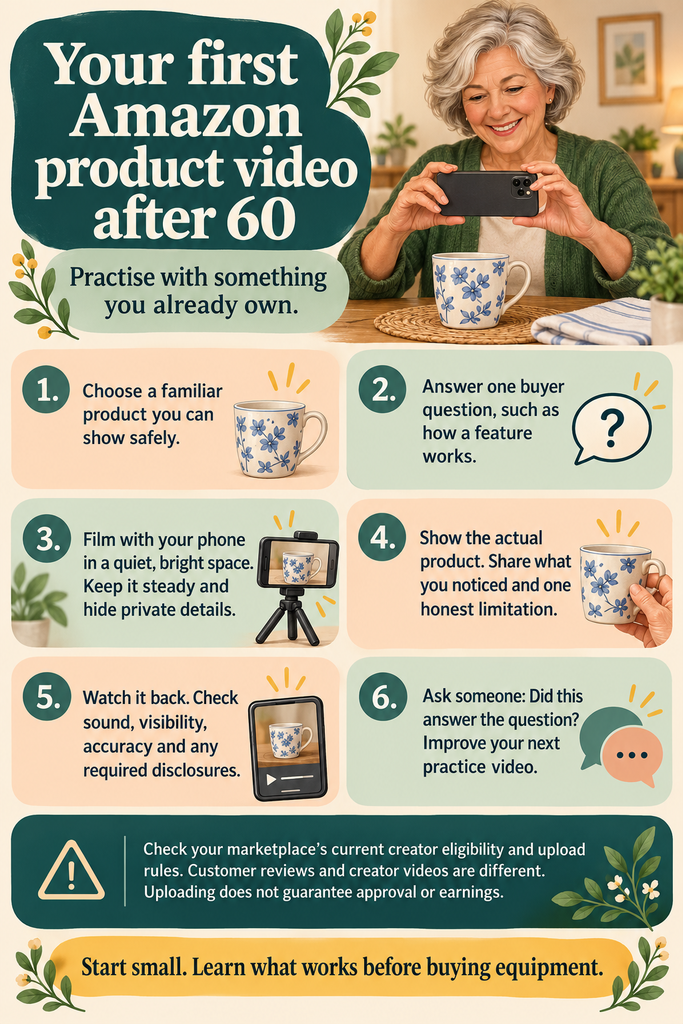
If you want to make your first Amazon product video after turning 60, begin with something you already have at home. Pick one practical question a buyer might have and show a clear demonstration while sharing your honest thoughts. You only need a phone and a quiet, well-lit spot to practice. Before you upload a video to earn money, make sure your Amazon account and marketplace allow you to use the right creator features and meet the eligibility requirements.
This guide is meant to help you with filming, but it does not guarantee that you will be approved or make money. If you are not sure which program to choose, start by reading about the differences between Amazon Associates and the Influencer Programme. You can also look up other ways a 65-year-old woman can earn money from home.
First, know what kind of video you are creating
An informative creator video is not the same as a regular customer review with a star rating. According to Amazon’s US video help page, uploads are for active Influencer storefronts. When last checked, the page said that after you upload ten videos that pass moderation and finish the onsite sign-up, your videos might also show up on related product pages. However, ‘might’ does not mean you are guaranteed a spot or any earnings.
Information was checked on 24 September 2026. This is the guidance for the US, but it may not apply everywhere. Always follow the latest instructions. Pick a product you know well and can easily show if it is different from older guides.
Choose a familiar, easy-to-demonstrate product.
To practice, pick something you already use and can talk about without needing to research a complex topic. For example, a storage organizer, craft tool, or reading stand can help you show helpful details in a small area. These are just practice suggestions, not recommendations for making money.
Ask yourself: what could a buyer understand from seeing this item used that they might miss in a photograph? It might be the size of a compartment, how a hinge works, or how much room the item takes up. Avoid starting with Decide on one helpful question to answer ” or making claims or demonstrations you cannot perform safely.
Plan one useful question.
A focused demonstration is easier to follow than a list of every feature. Choose a question such as “Does this organizer hold full-sized scissors?” or “How does this stand fold away?” Check the actual product model so you do not describe a different Write down three quick notes: what you plan to show, what you noticed yourself, and one limitation. If you just opened the item, mention that. You cannot honestly talk about long-term durability after only a few minutes of use.
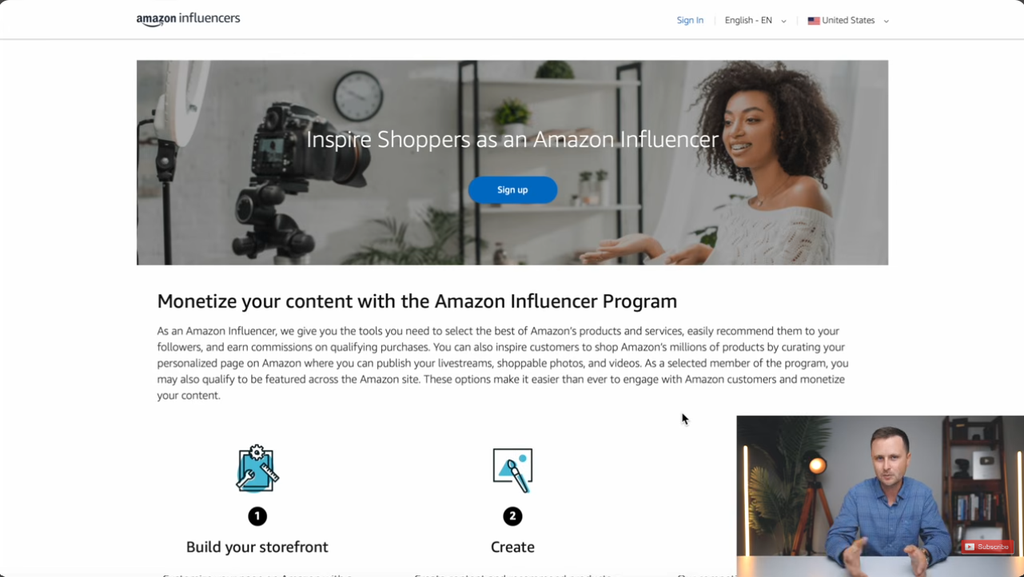
Full Amazon Influencer Tutorial For Beginners (Step-by-Step)
Create a comfortable space for filming
- Lighting: Sit facing a window or use any lamp you have to make sure the product is clearly visible.
- Sound: Turn off any background music and do a quick test recording in a quiet room.
- Stability: Place your phone somewhere steady so it has a clear view of what you’re showing.
- Background: Clear away any personal papers, addresses, family photos, or anything else that might distract viewers.
- Comfort: Sit down if you prefer, keep the product close by, and remember to take breaks when you need to.
Check the platform’s latest file requirements before you record your final video. You don’t need to buy a camera, microphone, or lighting kit until you know you enjoy making these videos.
A basic script for your product video
Here’s a suggested structure to practice with. This isn’t an official Amazon format. Just swap out each prompt for your own honest thoughts about the product.
- Start by introducing the product: “This is the [exact product/model]. I use it for [your actual use]Next, mention what you’ll show: “I wanted to show you how [specific feature] works.”
- Demonstrate the feature: Use the product and explain what viewers are seeing as you go.
- Share something helpful: “What I noticed during [your real period of use] is…”
- Point out any limitations: “One thing to consider is…”
- Describe who it’s for: “This may suit someone who needs…”
If you have a sponsorship, received a free product, or earn a commission, be sure to follow the rules for disclosures. Make your disclosure clear and put it where the platform requires. Amazon has specific guidance on affiliate disclosures.

Give clear evidence instead of making general statements
Saying “Here is how the lid opens” helps more than saying “This is the best container ever.” Show viewers the details that back up your opinion. Use real measurements or clear references to describe size, and make it clear what is your personal preference and what is a fact.
Do not use someone else’s footage or show an AI-made demo as if it is your own product test. Always use your own material, and only include music or images you have permission to use. A calm and clear explanation works well; you do not have to copy high-energy presenters.
Check your video before uploading
- Does your video show the right product and version?
- Can you hear every sentence and see all the important details?
- Are your statements accurate and based on what you really know?
- Did you remove any private information and extra background noise?
- Did you clearly share any commercial relationships?
- Does your file meet the current content and upload rules?
If your account has this feature, use the current creator-upload steps and pick only the product you actually show. Amazon’s US help explains how to upload through Creator Hub. Wait for moderation results before you assume your video is published.
Start by learning from a few videos
Make a few practice demonstrations with different questions before buying anything new. Note the time spent planning, filming, and editing. Ask someone whether the video answered the intended question, rather than whether they liked your presentation.
If you become eligible to earn later, keep an eye on your real results and costs. You might get few views or no commission. Buying more products does not always help, and there is no set amount you will earn per video.

Frequently asked questions
Do I have to show my face?
You can practice by showing your hands and the product while speaking clearly. Whether your video is accepted depends on the platform’s current rules and review process, so this filming tip does not guarantee approval.
How long should my first video be?
As practice, try to answer one question in about a minute and cut out any repeated points. This is just a suggestion, not an official rule. Always check the latest upload requirements before submitting your final video.
Will I be paid for every video?
No. You should not expect a set payment for every video you upload. Commissions depend on Amazon’s program rules and whether shoppers qualify, so some videos might not earn anything.
What if I do not enjoy filming?
There are other options. If you like helping clients, you could try virtual assistance. If you enjoy making useful resources, creating digital downloads might be a good fit.
Your first task
Pick something you already own and record a short practice video where you answer a common buyer question. Watch your video to see if it’s clear and accurate. This small test can help you decide if making product videos is something you want to learn.
When a filming tool or course is worth considering
Watch your practice video to spot any problems before you buy extra tools or courses. Issues like unclear sound, shaky video, or trouble planning your demo each need different fixes.
Compare any new tool or lesson with what you already have for free.
Only invest in a bigger training program if you have a clear, broader need.can apply useful content skills beyond one platform.
Our income-strategy guide explains how relevant recommendations can connect readers with different products and learning resources.
Learning to explain products clearly can also get you interested in digital marketing. If you want to try selling digital products, our POP guide covers that business model. POP is separate from Amazon video training and is not required for Amazon approval.
Explore Passion Over Profits: what’s included, how the model works and whether it fits your goals
Leave a Reply